DeckDeckDeck · Native macOS
Bluesky in columns, side by side.
More than one Bluesky account? Then you know the tab dance: open, close, and end up forgetting which profile you just posted from. DeckDeckDeck ends the act. Every account gets its own columns, all in one Mac window, and a single composer posts to as many of them as you tick.
In development · macOS 15 or later
In the columns
Everything a deck should do.
Built to stay open from breakfast to "wait, it's midnight?". These are the parts that earn the spot on your screen.
Deck first
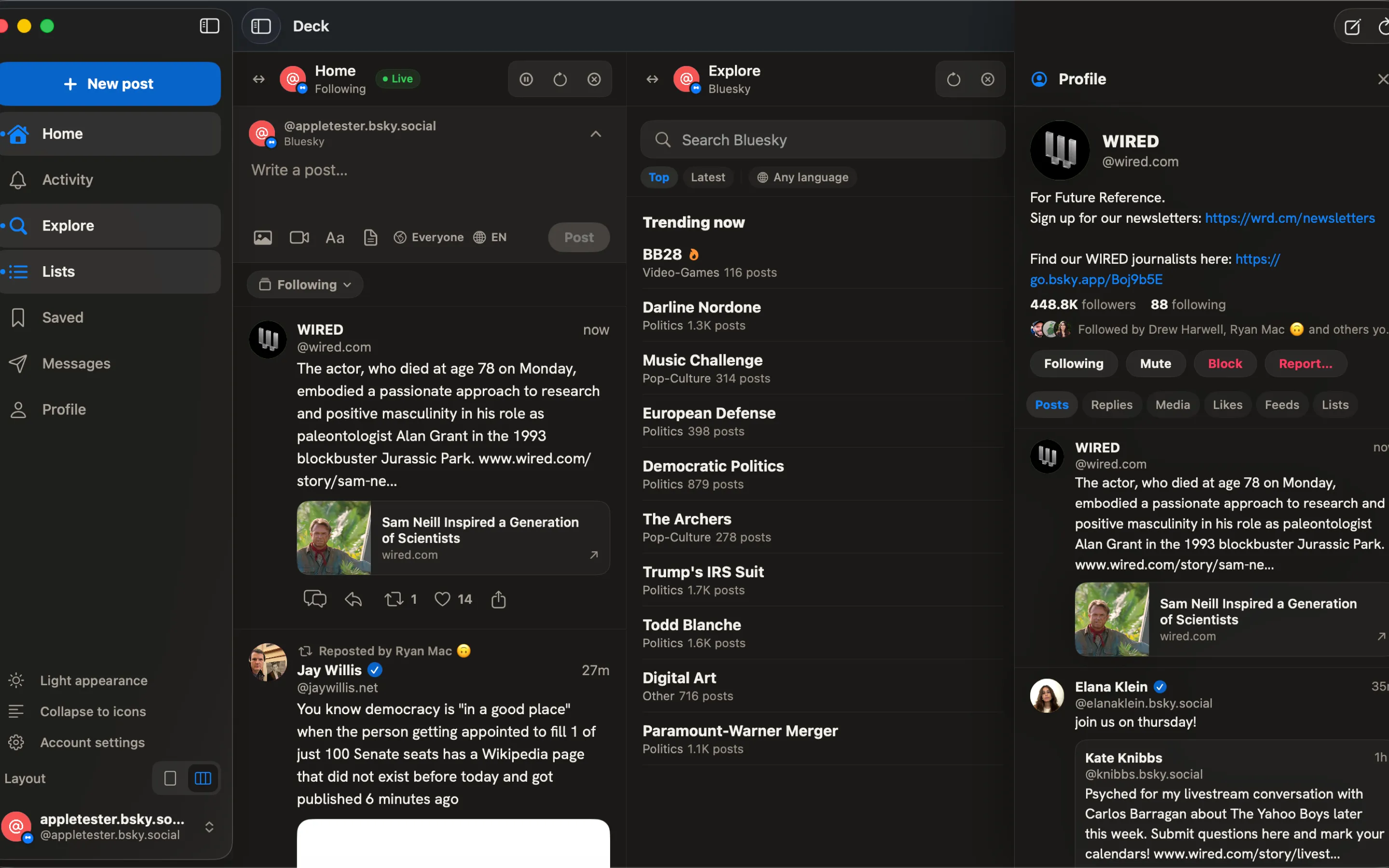
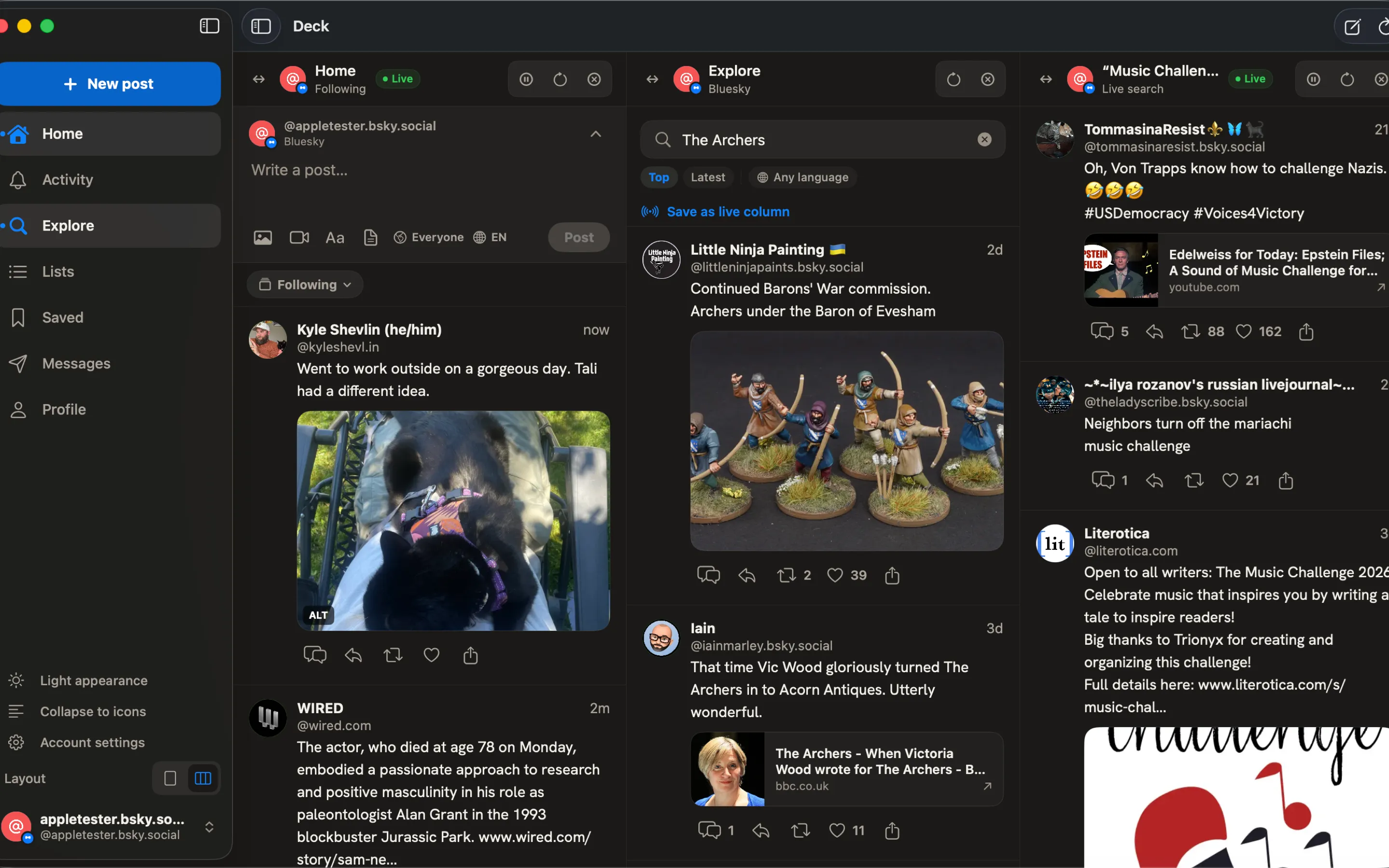
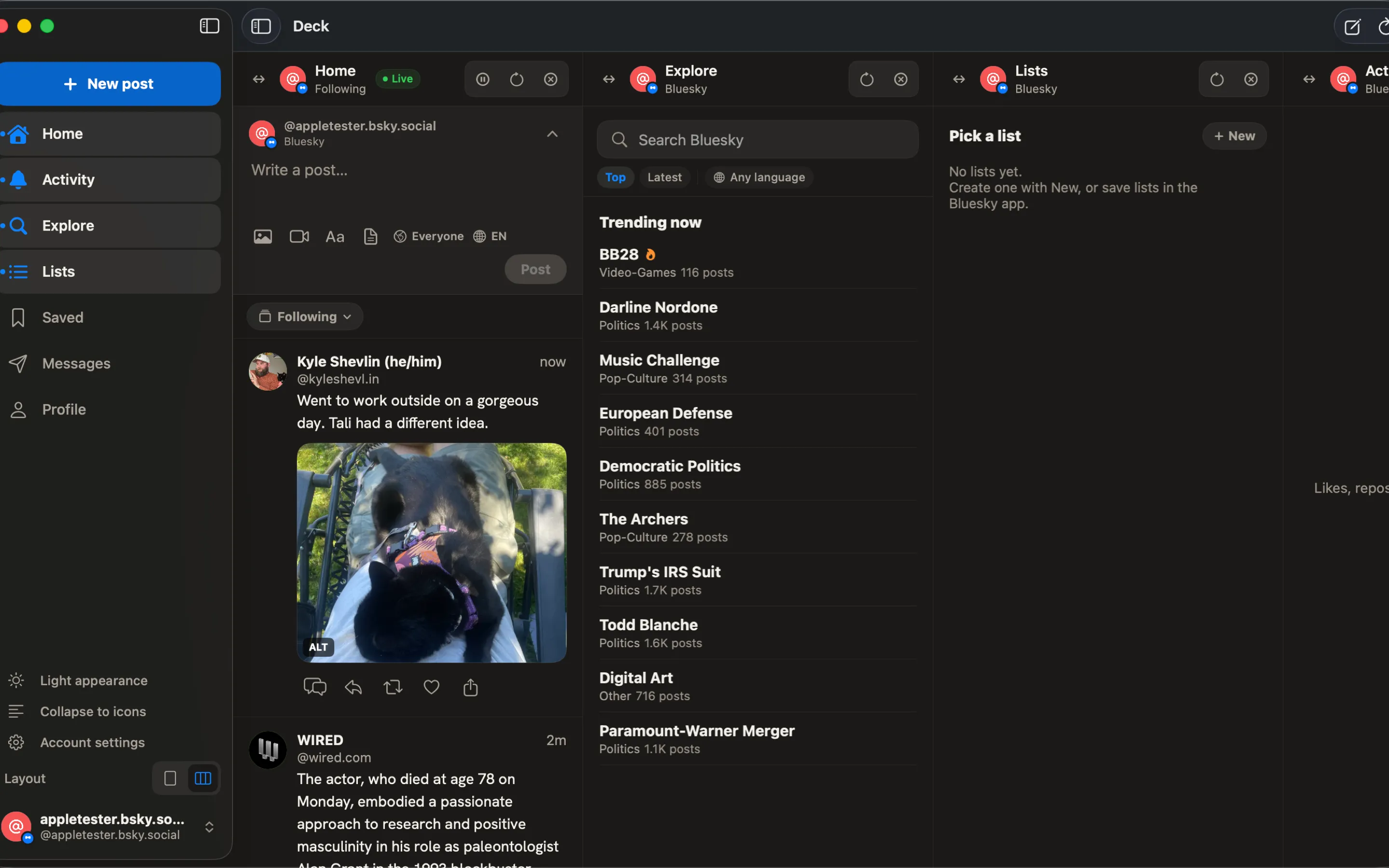
The deck isn't a tab in the app. It is the app. Home, activity, search, lists, DMs — each account gets the columns you pick, in the order you drag them. ⌘1 to ⌘9 hops between them without your hands leaving the keyboard.
Live, or muted
Posts land the second they're written, straight off Jetstream, saved searches included. Too much firehose? One toggle swaps real-time for a once-a-minute refresh. Your pace, not the timeline's.
Write once, post everywhere
Write it, tick the accounts, publish. The composer gates who can reply, autocompletes @mentions, swallows images and video, and keeps drafts that sync with bsky.app. Offline? They wait right where you left them.
A real Mac app
SwiftUI, zero third-party dependencies. It has a menu bar because Mac apps have menu bars, obviously. Notifications, Dock badge, Shortcuts, Spotlight, Siri — all the bits web wrappers pretend nobody uses.
Full Bluesky citizenship
A real AT Protocol client, not a web view in disguise. DMs, lists, saved posts, follower graphs, video that loads on the first try, and reporting that actually reaches the moderation service — no black hole.
Moderation, faithfully
Set your filters once on bsky.app and forget them. They apply here identically: subscribed labelers, your per-labeler overrides, muted threads. If the network says hide, it's hidden.
On screen
Here's how it looks.
Real screenshots of the app running — no mockups, no renders, no promises.
Why it matters
Built for people who live in the deck.
- 01
Retire the browser tabs.
Every account in one window that stays open all day without complaining. No Electron: this is native code, not a website in a costume. It launches in a blink and idles quietly when you look away.
- 02
Triage at keyboard speed.
J and K walk the column, O opens the thread, R replies, ⌘R refreshes. Your hands never leave the keyboard — and only the accounts you opted in get to interrupt you.
- 03
Honest about what it does.
When the network offers something the app can't do yet, it tells you so, right where the feature should be. No pretending, no silent gaps. And your sessions live in the macOS Keychain, nowhere else.
Questions, answered
Before you install.
01What do I need to run it?+
macOS 15 (Sequoia) or newer. That's the whole list. No Electron, no runtime to download, no "installing 1 of 47 components".
02Which networks does it support?+
Bluesky only, for now, with as many accounts as you can handle. Each one gets its own columns in the same deck. Other networks? We won't promise what we haven't shipped.
03How do accounts sign in?+
With a Bluesky app password. Tick "Allow access to your direct messages" when you create it if you want chat. Sessions go in the macOS Keychain and nowhere else. Promise.
04Does it respect my Bluesky moderation settings?+
To the letter. The app reads the very same preferences bsky.app writes: content filters, subscribed labelers, your per-labeler overrides. Drafts and saved posts sync with the official app too.
05Is it accessible?+
It targets WCAG 2.2 AA, and we mean it: VoiceOver labels on every control, Reduce Motion honored everywhere, Dynamic Type, and the whole app driven from the keyboard alone.
06When can I get it?+
Active development, not out of the oven yet. Got Xcode 16? You can build it from source today. A public release is on the way — no season-finale cliffhangers, promise.